Mophead Dash Unblocked — Play Free Online
More Runners & Driving games




Mophead Dash unblocked: play Mophead Dash online free right here in your browser — no download, no sign-up, works on a school Chromebook.
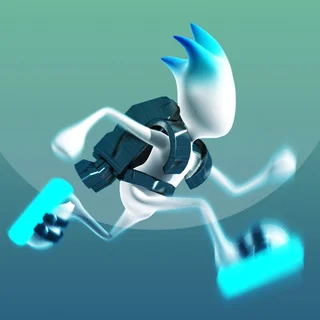
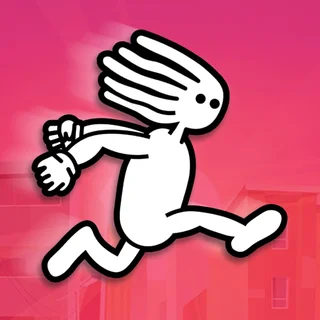
Mophead Dash is a fast-paced obstacle runner where quick reflexes, sharp lane positioning, and smooth jump timing decide how far you travel. Controlling an energetic runner with a wild head of hair, you sprint forward across courses filled with hurdles, high fences, gaps, and elevation changes. The game delivers an immediate, arcade-style rhythm that fits naturally alongside the reflex-driven platformers across Cat Ninja.
Each stage presents a distinct track layout with increasing obstacle density. Rather than navigating open mazes, your focus is entirely on reading the terrain ahead, choosing the cleanest line through consecutive barricades, and preserving your forward momentum to reach the finish marker safely.
How to play
Movement is straightforward and responsive. Steer left or right across the track using the Left and Right arrow keys or the A and D keys. When an obstacle blocks your path, press the Up arrow key or the Spacebar to jump or vault over it. If you play on a mobile touchscreen, simple taps and directional swipes manage both steering and jumping.
A course begins the moment you take your first stride. As fences and tiered blocks appear, decide whether to sidestep into an open lane or leap directly over the barrier. Crashing into a solid obstacle brings the run to an instant halt, but you can restart the level immediately with a single keystroke to test a different line.
Tips for cleaner runs
- Look ahead of your runner: Keep your eyes focused several meters down the track instead of watching your character. Spotting barricades early gives you ample time to plan lane changes.
- Prioritize lane shifts over jumps: Vaulting over hurdles carries more risk than slipping into an open path. Whenever an unobstructed lane is available, steer sideways to stay grounded and retain full steering control.
- Tap lightly on narrow bridges: Aggressive steering inputs can cause you to slide off the edges of elevated paths. Use short, featherweight key taps to make minor adjustments.
- Time your launch on inclines: When approaching ramps and raised platforms, initiate your jump slightly before the crest so your upward trajectory carries you cleanly past hazards.
Similar games on Cat Ninja
Players who enjoy the rapid pace and obstacle dodging in Mophead Dash will find plenty of great companion titles on Cat Ninja. For gravity-defying multi-lane sprints, try G-Switch. If you prefer precision platforming filled with deceptive traps, take on Level Devil. For rooftop acrobatics and wall runs, The Speed Ninja offers a classic ninja movement challenge.
Because Mophead Dash runs entirely in the browser using modern web standards, you can jump in for quick attempts without downloading files or setting up an account.
Questions about Mophead Dash
Is Mophead Dash unblocked at school?
Mophead Dash runs in an ordinary browser tab from catninja.co, with nothing to download or install, so it plays on most school Chromebooks and work computers. If a network filter blocks the site, only that network's administrator can change it.
What are the controls for Mophead Dash?
Use the Left and Right arrow keys or A and D to steer your character. Press the Up arrow key or Spacebar to jump over hurdles. On mobile devices, swipe and tap the screen to steer and leap.
Does Mophead Dash save your course progress?
Yes, the game records your cleared levels locally in your web browser, allowing you to resume your stage progression whenever you return on the same device.
Can you play Mophead Dash on a Chromebook or mobile phone?
Yes, Mophead Dash runs directly inside standard modern web browsers on Chromebooks, desktops, laptops, and mobile devices without any extra plugins or downloads.