OvO Unblocked — Play Free Online
More Ninja & Platformers games
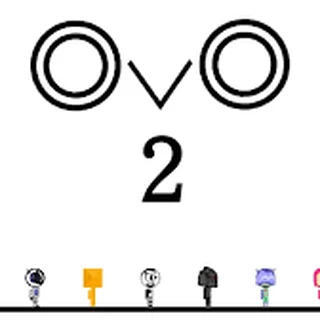


OvO unblocked: play OvO online free right here in your browser — no download, no sign-up, works on a school Chromebook.
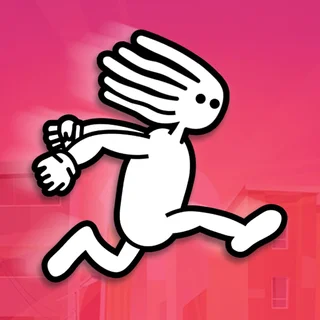
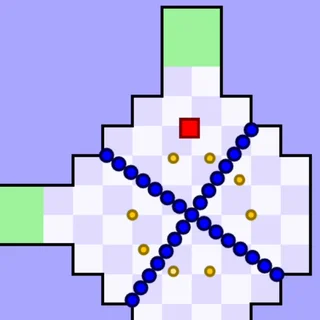
OvO is a minimalist, high-speed parkour platformer that tests your reflexes and momentum control. Playing as a nimble stick figure, your objective in every stage is simple: navigate through a gauntlet of lethal spikes, shifting barriers, and precision jumps to reach the checkered flag at the finish line. Every course is compact, meaning attempts are fast, failures are instant, and shaving milliseconds off your personal best becomes intensely addictive.
For players who enjoy the fluid acrobatic movement of Cat Ninja, OvO provides a pure test of kinetic physics. Instead of combat or stealth, the challenge comes down entirely to how well you combine slides, dives, wall jumps, and ground pounds. The physics engine preserves forward momentum, rewarding players who keep moving rather than stopping to line up cautious jumps.
How to play
The control scheme in OvO is easy to learn but offers tremendous depth for mastering speedruns:
- Move Left and Right: Use the Left and Right Arrow keys (or A and D) to run across platforms.
- Jump: Press the Up Arrow key (or W / Spacebar) to clear hazards or leap away from walls.
- Slide and Ground Pound: Press the Down Arrow key (or S) while running to slide under low ceilings, or press Down while airborne to perform a ground pound.
- Quick Restart: Press the R key to instantly restart the current stage if you miss a jump.
The core of advanced play is chaining actions together. Pressing jump right after sliding performs a high-velocity slide jump that shoots you forward under low obstacles and across wide chasms. If you ground pound in the air and press jump right as you strike the floor, your runner bounces upward with extra height. You can also slide down vertical walls to control descent or kick off them repeatedly to scale tight shafts.
Parkour and speedrun tips
- Maintain forward momentum: Running at standard speed is often too slow to clear wide spike pits. Always initiate a slide before jumping over large gaps to carry maximum horizontal velocity.
- Collect hidden coins: Many levels feature bonus coins tucked away in dangerous alternate routes. Grabbing these tests your mastery of the physics engine and unlocks extra character skins.
- Use the quick restart: When practicing for a clean speedrun split, tap R the moment you make a mistake to jump right back to the start line without waiting through menu animations.
- Time your wall kicks: Kicking off a wall at the peak of your slide down gives you better vertical lift than jumping too early.
Similar games on Cat Ninja
If you love the fast reflexes and platforming challenges of OvO, explore the other skill-based games on Cat Ninja. Try Cat Ninja for acrobatic ninja combat, slash mechanics, and puzzle-like level design. For gravity-defying multi-directional sprints, check out G-Switch, or test your reaction speed against devious traps in Level Devil and The Speed Ninja.
OvO runs directly in your web browser with responsive keyboard controls and smooth performance on desktop computers, laptops, and Chromebooks. Your best times and level progress are saved locally, making it easy to jump in for a quick session or a dedicated speedrun grind.
Questions about OvO
Is OvO unblocked at school?
OvO runs in an ordinary browser tab from catninja.co, with nothing to download or install, so it plays on most school Chromebooks and work computers. If a network filter blocks the site, only that network's administrator can change it.
What are the basic controls for OvO?
Use the Arrow keys or WASD to run and jump. Press Down or S while running to slide under low gaps, or press Down in the air to ground pound.
How do you do a slide jump in OvO?
Start running in either direction, press Down or S to slide, and immediately press Up, W, or Spacebar. This preserves your momentum for long jumps.
Is OvO free to play without downloading?
Yes, OvO runs directly in your web browser on Cat Ninja with no downloads, plugins, or registration required.
Does OvO save your speedrun times and unlocked skins?
Yes, your cleared levels, best completion times, and coin progress are automatically saved in your browser storage.